Patent Task

PATENT TASK / AI PATENT DRAFTING

From invention disclosure
to patent drawings and
a draft you can edit.

AI-assisted patent drawings and application drafts for the USPTO, DPMA, the EPO and the JPO.
Turn technical material into an editable first draft, then apply your own professional review.

See a drawing input and output example →
DOCUMENT / 01Synthetic sample

SPECIFICATION

TITLE OF THE INVENTION

Conveyor with condition monitoring

TECHNICAL FIELD

A fictitious example for illustration. It shows how the document is organized for an apparatus that detects component conditions and controls conveying.

SensorControllerConveyor

Prepare an editable draft, then hand it over for professional review.

THREE TOOLS / ONE WORKFLOW

Start with the task in front of you.

01

Patent drawings

Prepare draft structural views, sections and flowcharts from a technical description with the Patent Task drawing workspace. Check the figure plan and reference numerals, revise, then export to DOCX, ZIP or Markdown.

Patent drawings: features and workflow →
02

AI patent drafting

Prepare a first draft of the claims, specification and abstract from an invention disclosure. Edit section by section while checking each statement against your source material, then export to Word (DOCX).

AI patent drafting: features and workflow →

03

Patent search

Search patent documents by keyword, publication number or applicant. AI-assisted query translation supports selected sources; choose your jurisdiction and check relevant passages in the original documents.

Patent search: features and workflow →

Draft for the office you are filing with

Choose the target office when you start a new draft. Each workflow follows that office's document structure and terminology.

Germany (DPMA) →

German-language claims, description, drawings and abstract for a national German patent.

Europe (EPO) →

Two-part claims and a problem–solution description under the EPC.

Japan (JPO) →

Claims, description, drawings and abstract in the Japanese format.

DRAWING / SAMPLE

Show the structure
that text alone cannot.

Plan figures from the technical description, check reference numerals and connections, and review every figure before export.

Create drawings →
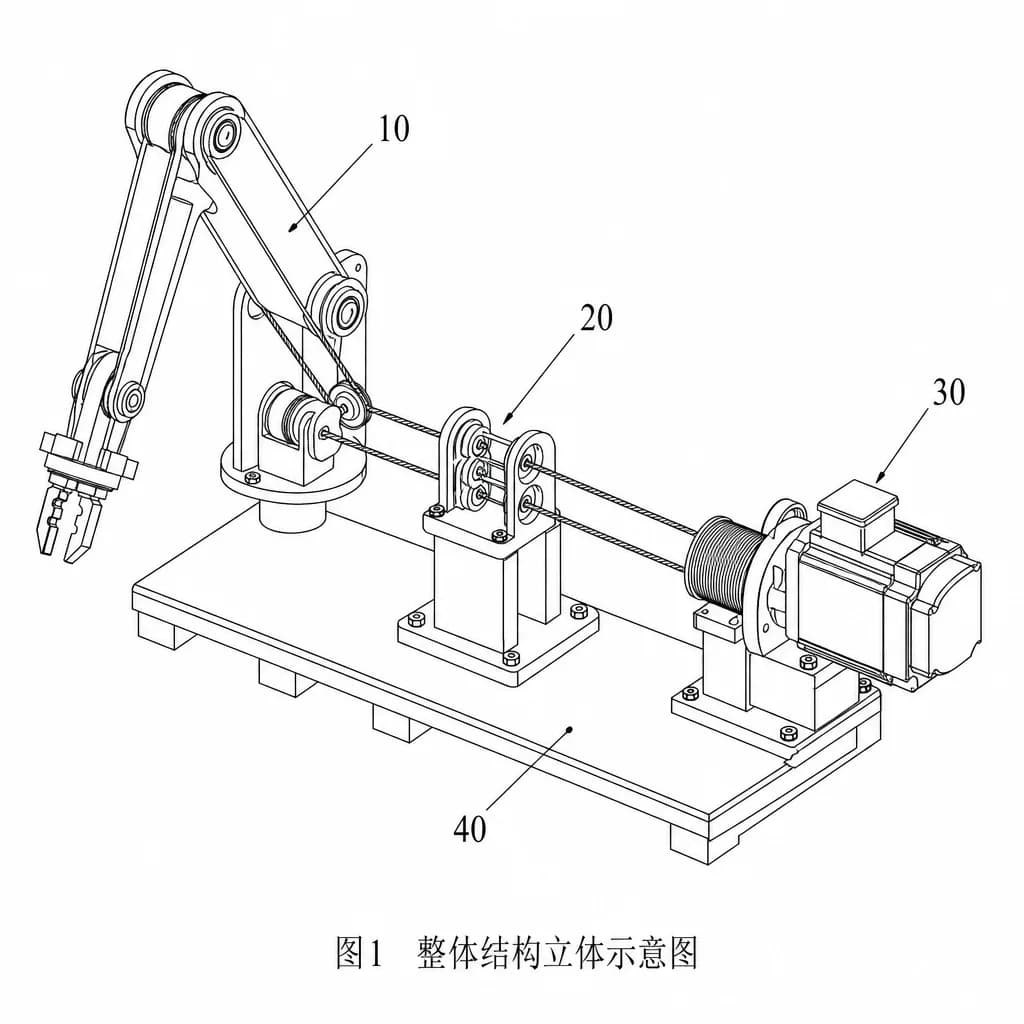
Internal test sample of a mechanical perspective drawing
Internal test sample. No customer data used.

Build the record one verified step at a time.

  1. 01

    Research and organize

    Look at prior art, then separate the technical problem from the means that solve it.

  2. 02

    Generate and edit

    Create the figures and documents you need and check that they match what the inventor actually disclosed.

  3. 03

    Review and export

    Review the content, unlock and export under the conditions shown, and have a practitioner review it before filing.

Pricing that matches how you work.

The amount and payment currency are shown before you pay.

View pricing →

Prepare and review at the right level of detail

Frequently asked questions

Can I file the result directly?

No. The output is a drafting aid: claims, a description, drawings and an abstract for review. It does not include filing forms or electronic filing files, and a qualified practitioner should review it before filing.

Which patent offices are supported?

New drafts can target the USPTO, DPMA, the EPO or the JPO. Drafts you already started keep the office they were created for.

Does the patent search cover every patent?

No. Coverage depends on the connected data sources. Check the source and retrieval status of each result, and confirm important documents in the official databases.